
Download Accounts – Personal Finance Management for Mac
Overview
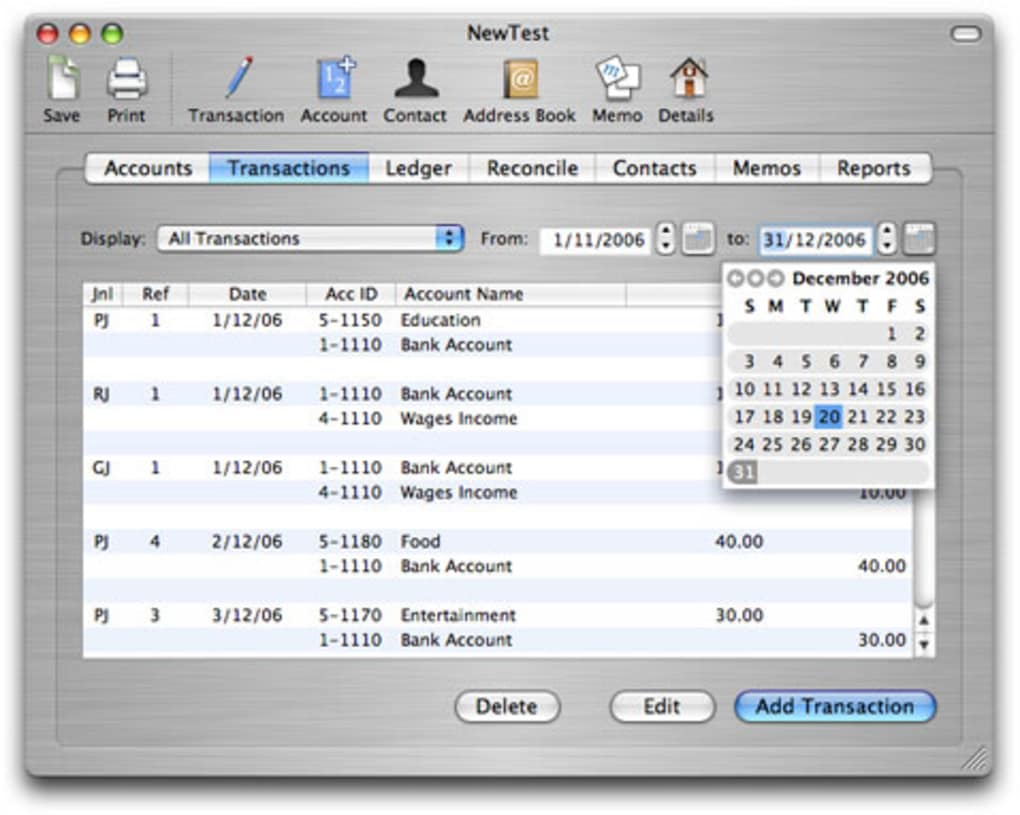
Accounts is a dedicated personal‑finance tool built specifically for macOS users who need a reliable way to record small‑business transactions, track personal expenses, and generate professional invoices. While the user interface retains a classic Mac aesthetic that may feel nostalgic compared with newer, flash‑heavy competitors, the layout is clean, logically organized, and free from unnecessary clutter. The core of Accounts revolves around a robust transactions tab that instantly separates credits from debits, making it simple to spot cash flow trends at a glance.
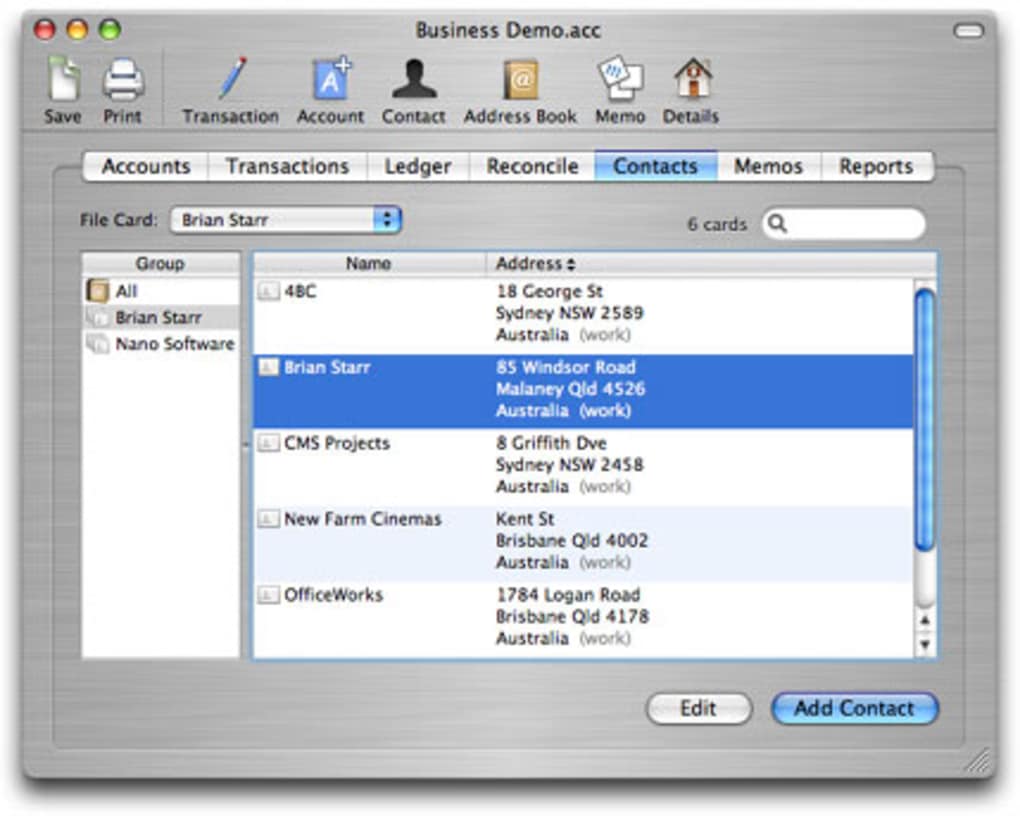
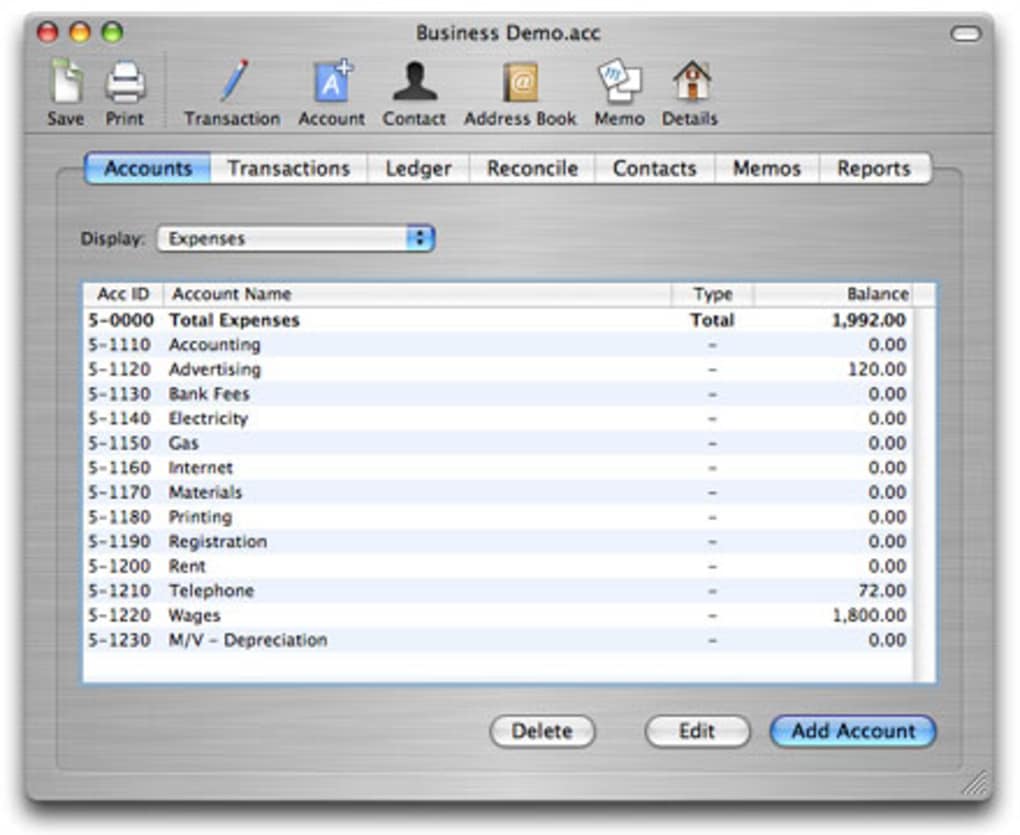
Users can create multiple accounts—checking, savings, credit cards, or even petty‑cash envelopes—and reconcile them against real‑world statements with a few clicks. Integrated with the native Mac Address Book, the app pulls contact details directly into invoice and check‑printing workflows, eliminating the need for duplicate data entry. Additional capabilities include memo creation for quick notes, customizable report generation for tax‑time preparation, and a straightforward check‑printing module that works with most home‑office printers.
In short, Accounts delivers a complete, secure, and affordable solution for individuals and micro‑entrepreneurs who want to keep their money organized without learning a steep new system.
Features, Installation & Compatibility
Key Feature Set
- Intuitive transaction ledger with real‑time credit/debit separation.
- Multi‑account support for checking, savings, credit cards, and custom categories.
- Built‑in bank reconciliation tools that compare entries with imported statements.
- Check printing and invoice creation that syncs with the macOS Address Book.
- Customizable financial reports (income statement, balance sheet, cash flow).
- Memo field for quick notes and transaction tagging.
- Export options to CSV, QIF, and PDF for easy backup or migration.
- Secure password protection and optional Touch ID authentication.
Installation & First‑Run Guidance
Downloading Accounts is straightforward. Visit the official website or the Mac App Store, click the “Download” button, and the installer (.dmg) will appear in your Downloads folder. Double‑click the .dmg file, then drag the Accounts icon into your Applications folder. macOS may prompt you to confirm that you trust the developer; simply click “Open” to continue.
The first launch launches a brief setup wizard where you define your primary currency, create your initial accounts (e.g., “Business Checking” and “Personal Savings”), and optionally import existing transaction data via CSV. The wizard also asks whether you’d like to enable Touch ID for quick, secure access. After setup, the main dashboard appears, displaying a summary of balances, recent transactions, and shortcuts to invoicing or check printing.
The interface is mouse‑friendly, but power users can also use standard macOS keyboard shortcuts for faster navigation.
Compatibility (Operating System)
Accounts runs natively on macOS 10.15 Catalina and later, including macOS 12 Monterey, macOS 13 Ventura, and the upcoming macOS 14 Sonoma. The application is optimized for both Intel‑based Macs and Apple Silicon (M1/M2) chips, delivering smooth performance whether you’re on a 13‑inch MacBook Air or a high‑end iMac. Because the software relies on native macOS frameworks, there is no need for additional runtime environments or Java installations, which keeps the app lightweight (under 80 MB) and ensures fast start‑up times.
Pros, Cons, and Frequently Asked Questions
Pros
- Simple, no‑frills interface that is easy for beginners to master.
- Deep integration with macOS Address Book reduces duplicate data entry.
- Full check‑printing and invoicing capabilities without third‑party plugins.
- Robust reconciliation tools save time during month‑end close.
- One‑time purchase model (no recurring subscription fees).
Cons
- Interface looks dated compared with modern, flat‑design finance apps.
- Lacks cloud sync; data is stored locally unless you set up manual backups.
- No native Windows or mobile (iOS/Android) version, limiting cross‑device use.
- Advanced budgeting or forecasting features are absent.
- Limited customization of report templates.
Frequently Asked Questions
Can I import bank statements into Accounts?
Yes. Accounts supports CSV and QIF formats, which most banks provide when you export a statement. Simply choose “Import Transactions” from the File menu, select the file, and map the columns to the appropriate fields.
Is my financial data encrypted?
Accounts stores data in an encrypted SQLite database on your Mac. You can also protect the app with a password or Touch ID, adding an extra layer of security.
How do I back up my Accounts data?
Since the data is saved locally, you can back it up using Time Machine, iCloud Drive, or by manually copying the “Accounts” folder from ~/Library/Application Support/Accounts to an external drive.
Can I print invoices directly from the app?
Absolutely. After creating an invoice, click “Print” and the app formats it to standard A4 or Letter size. You can also export the invoice as a PDF for electronic delivery.
Is there a free trial or demo version?
The developer offers a 14‑day money‑back guarantee rather than a separate trial. You can purchase the app risk‑free and request a refund if it doesn’t meet your needs.
Conclusion & Call to Action
For Mac users who value a straightforward, secure, and locally stored finance solution, Accounts delivers exactly what the description promises: a solid, well‑organized platform to record small‑business transactions, manage personal budgets, and generate professional invoices. The lack of cloud sync and a modern UI may deter power users who crave real‑time collaboration across devices, but the trade‑off is a one‑time purchase that never demands a subscription. If you run a freelance operation, a home‑based shop, or simply want tighter control over your personal finances without the noise of feature‑bloat, Accounts is a compelling choice. Download it today, set up your first accounts, and experience the peace of mind that comes from knowing every debit, credit, and invoice is safely recorded on your Mac.
Download Accounts now and start organizing your money with a tool that respects both your time and your budget.







